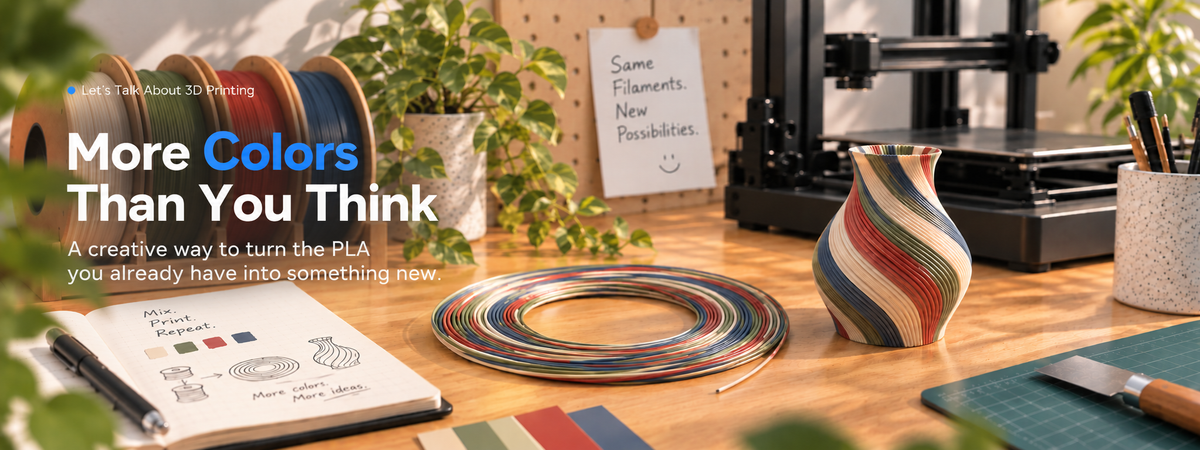
Can Your 3D Printer Create Colors You Don't Have?
What if the exact filament color you want isn't on your shelf — but the colors to make it already are?
If you've been 3D printing for a while, chances are there's a shelf, cabinet, or corner of your workspace slowly filling up with spools of PLA. Black, white and gray. Beige, olive, bright red — plus that oddly specific color you bought for one project and barely touched again.
And yet, somehow, the exact color you want is still the one you don't have.
Maybe it sits somewhere between two spools already on the shelf. Instead of buying another full spool, what if you could make that color from the PLA you already have?
Some makers are trying a surprisingly literal solution: print the filament first, then feed it back into the printer and print again.
One Idea, Two Ways to Play with Color
MIX A NEW SHADE | MAKE THE COLOR CHANGE |
|---|---|
🎨 Control the proportion | 🧵 Control the distribution |
Mix 2–4 PLA colors in different ratios | Place different colors along the filament |
Result: A more consistent custom shade | Result: Bands, streaks & layered effects |
Mix a New Shade
Say the color you want falls somewhere between two spools you already own. The Multi-Color Filament Mixer combines two to four PLA colors in different proportions to create a more blended result.
In the creator's examples, two colors use 1:1 or 3:1 ratios, while three use 1:1:2. Four colors open up more combinations, though the results can become darker or more muted.
So it's not just blue plus yellow. Which blue, which yellow, and how much of each all matter.
COMMUNITY EXAMPLE

Multi-Color Filament Mixer by @superGeometry. Photo used with permission.
Or Make the Color Change
The Stratified Filament Creator, created by jetpad, takes a different route. Instead of aiming for one blended shade, it places sections of different colors along the filament.
A base color is paired with up to three accents, spread across different lengths. Longer sections create broader, less frequent bands; shorter ones bring in color changes more often.
STRATIFIED FILAMENT | FINAL PRINT

Stratified filament
Accent colors appear in sections along the filament.

Final Print
Those sections become visible color changes as the model prints.
The choice comes down to the effect you're after: the mixer aims for a more consistent custom shade, while stratified filament makes visible color changes — bands, streaks or layered effects — part of the print.
Can You Aim for a Specific Color?
What if you already know the shade you're after? A community-made Filament Color Mixer works backwards: add the PLA colors you own, choose a target color, and it suggests combinations, AMS slot placement and proportions to try.
Instead of asking "What color will these filaments make?", you can start with "Which filaments could make the color I want?"
Before You Start Mixing
A few things are worth checking before turning your build plate into a mini filament lab.
Material and setup matter. One creator tested PLA, PETG and ABS across different build plates. If you're experimenting with color, keeping the material and setup consistent makes it easier to focus on the color itself.
Check the amount — and the time. In the profiles we looked at, a quad-color mixer produces about 74 g in just under two hours, while a four-color stratified filament profile produces about 66 g in roughly six hours. It's worth checking how much your final model needs before you start.
Remember, the filament itself is a print. Feeding consistency and tiny gaps between extrusion lines matter too; one creator adjusted the profile specifically to reduce those gaps.
More Colors Than You Thought
That shelf full of PLA might have more colors in it than the labels suggest. Once color becomes something you can mix, layer and experiment with, the spools you already own start to look a little different.
Maybe the next color you want isn't another spool at all — but a combination of a few you already have.
So, which spools on your shelf would you mix first?
RELATED ARTICLES